Featured Products / Swisper Productivity Agent
Your Executive Intelligence Layer.
Monitors, anticipates, drafts, and acts, so your teams spend time on decisions, not on data gathering.
Not a faster inbox. The feeling that someone competent is watching your back.

“The email of the species is deadlier than the mail.”
Stephen Fry
British actor
The Problem
Email Isn’t Broken. You Are the Integration Layer.
Every morning, the same cognitive labour: scan inbox, check calendar, cross-reference context, remember what you promised, decide what matters. You are manually running queries across disconnected systems and holding state in your head.

“Your mind is for having ideas, not holding them.”
David Allen
Productivity Consultant
Existing tools solve symptoms, faster processing, cleaner UI, better search. None solve the root cause: no tool watches your back while you do the work that actually matters.


The Answer
From Tool You Operate to Assistant That Operates for You.
The Productivity Agent is your externalized working memory for communication. It knows what you’ve promised, what you’re waiting for, and what needs your attention, so you don’t have to hold it all in your head.
 Swisper Productivity Agent
Why It’s Different
Three Differences You'll Feel on Day One:
It Watches Your Back All Day, Not Just at 8 AM
A morning briefing is a summary. You can get that from ChatGPT. What you can’t get anywhere else: an assistant that monitors your inbox and calendar continuously and alerts you when something changes that needs your attention.
Briefing answers
“What do I need to know right now?”
Signal answers
“What just changed that I need to act on?”
Together, they create the feeling: “Swisper is watching out for me.”
It Acts Like a PA, Not a Chatbot
Most AI email tools ask questions and wait for step-by-step instructions. The Productivity Agent works like a real personal assistant: it acts within defined boundaries, makes reasonable decisions, and only escalates when genuinely stuck.
Requires constant user input User waits for each step
Works in background, notifies when complete User delegates and moves on
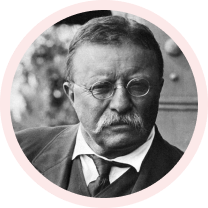
“The best executive is the one who has sense enough to pick good men to do what he wants done, and self-restraint enough to keep from meddling with them while they do it.”
Theodore Roosevelt
26th President of the United States
One Unified View Across All Your Accounts
Connect up to 10 email and calendar accounts, any mix of Microsoft 365 and Google Workspace. The agent sees one unified inbox, one merged calendar, one knowledge base.
M365
3 accounts
2 accounts

UNIFIED INTELLIGENCE
One inbox One calendar One knowledge base
“Show me emails from people I’m meeting today” is a single query, not three separate searches across different apps.
What It Does
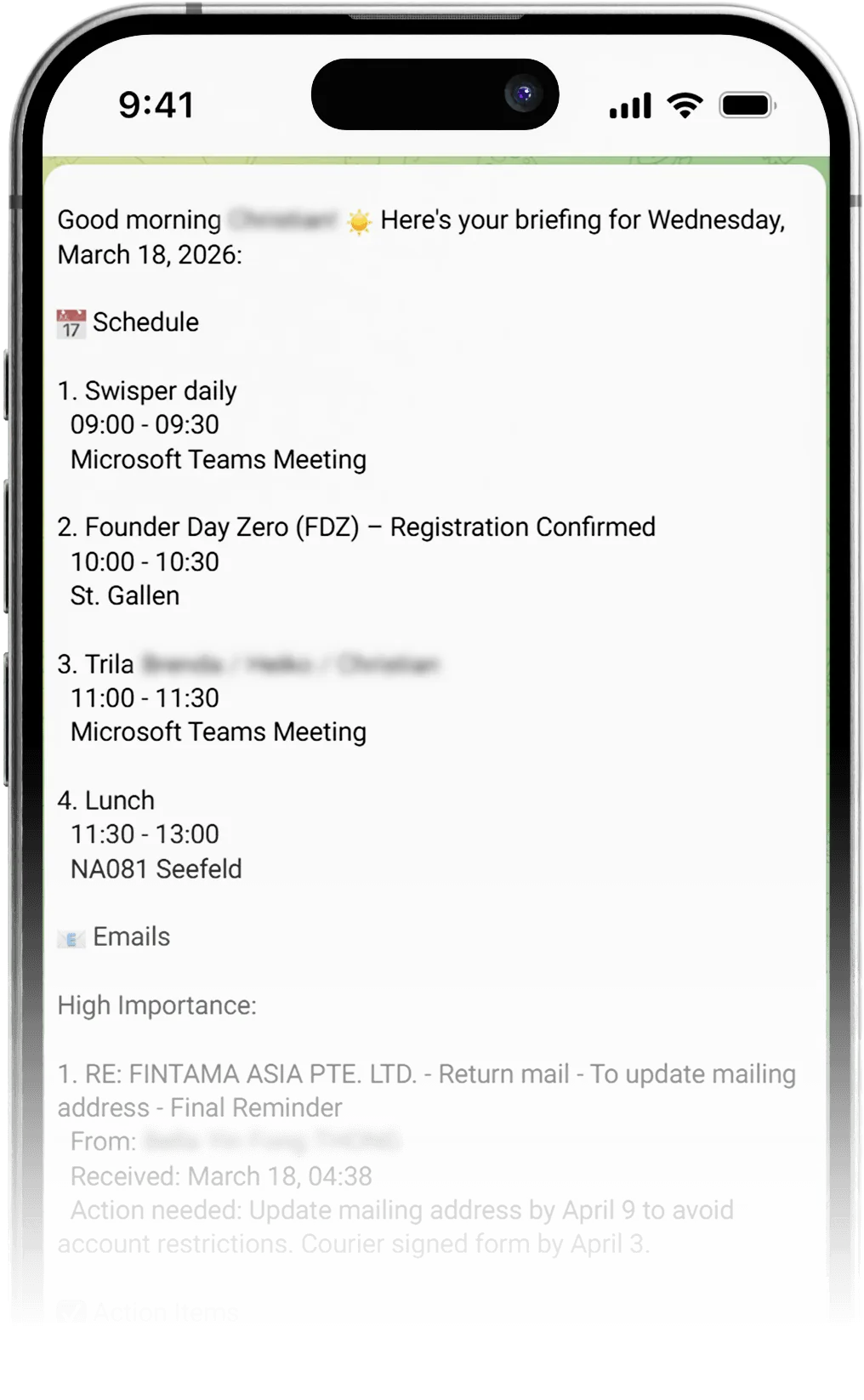

Morning Briefing
Emails requiring response (with sender and AI summary), calendar events with conflict detection, overdue commitments, pending follow-ups. Delivered proactively on first interaction, or as a scheduled push notification.
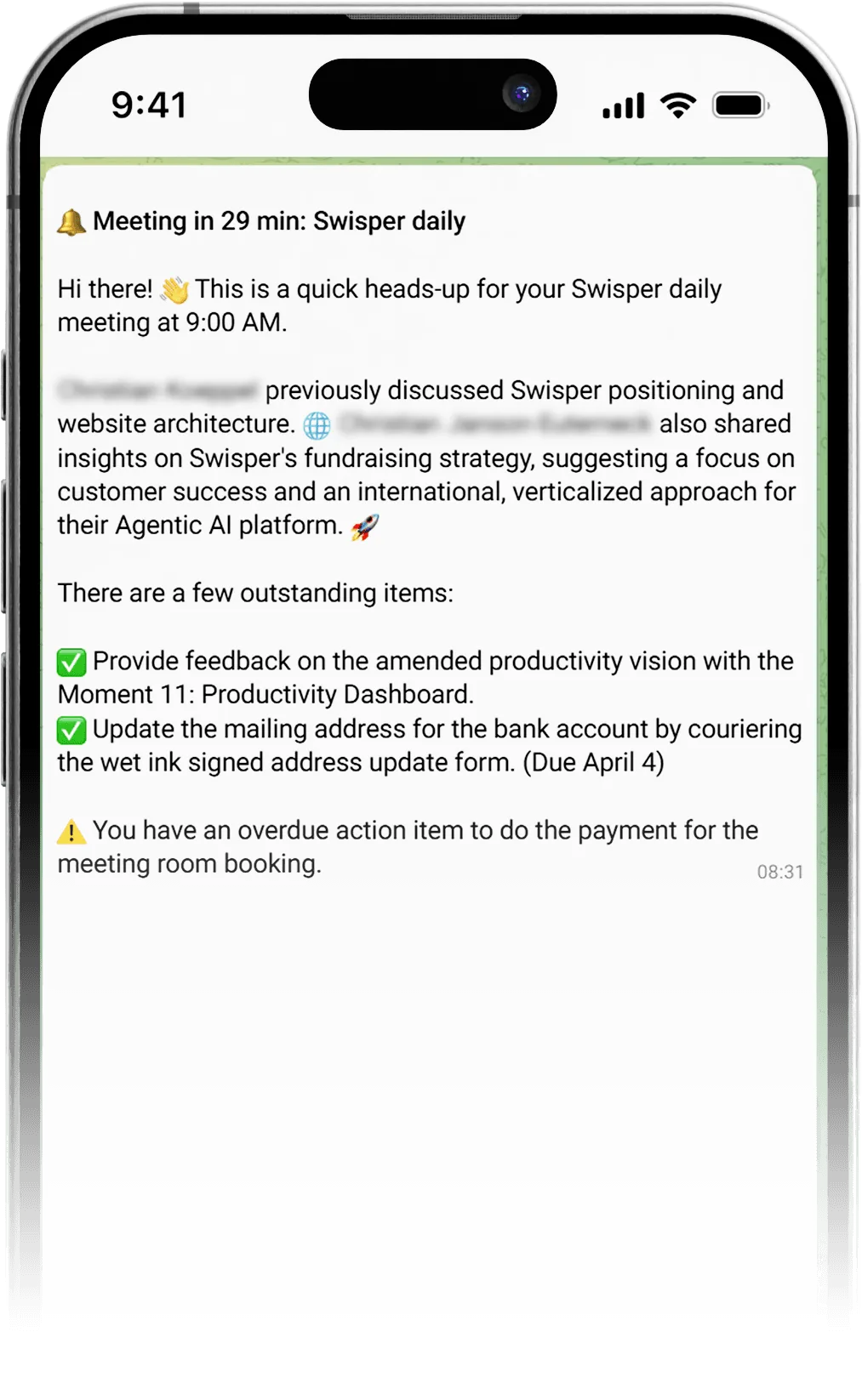

Pre-Meeting
Before each meeting: related emails ranked by attendee overlap, previous meetings with the same people, known facts, open commitments, and relevant attachments. Delivered 15–30 minutes ahead, automatically.

Commitment Tracking
Extracts promises from your outgoing emails (“I’ll send the draft by Friday”), tracks whether you followed through, and reminds you one day before the deadline if you haven’t.

Response Tracking
Monitors whether critical emails get replies. If a contact hasn’t responded beyond their normal pattern, surfaces it with context and one-click follow-up.

Semantic Email Discovery
“What did Sarah say about the timeline?” finds emails about schedules and deadlines, not just the word “timeline.” Search by meaning across all accounts, with cross-references to tasks and calendar events.

Tone-Calibrated Drafting
Drafts adapt to the recipient: formal German for Dr. Schmidt, casual English for a colleague. Same intent, different tone, every time. The goal: you stop editing and just hit send.

“The immediate increasingly crowds out the important.”
Noreena Hertz
Academic, Economist and Bestselling Author
Who It’s For
Three Audiences. One Intelligence Layer.
Briefings assembled from overnight emails, flagged decisions requiring your attention, meeting prep with context from previous interactions, and draft responses calibrated to your tone. By the time you sit down, you know what’s urgent, what’s changed, and what needs your decision today.
- ✓Proactive morning briefings, decisions, not data
- ✓Meeting prep with full context, automatically
- ✓Commitment and response tracking across all threads
Intelligent drafting that matches organizational tone. Scheduling that respects time zones and preferences. Commitment tracking across conversations, Swisper remembers what you promised to whom. Follow-up reminders that surface at the right moment, not as noise.
- ✓Semantic search, find by meaning, not keywords
- ✓Commitment extraction from sent emails
- ✓Smart follow-up reminders at the right moment
Multi-calendar management across executives. Conflict resolution with context, the agent knows which meetings are movable. Complex scheduling with multiple participants across organizations, handled autonomously in the background. Stakeholder communication with tone calibration per recipient.
- ✓Multi-executive calendar management
- ✓Autonomous complex scheduling
- ✓Context-aware conflict resolution
How It Compares
Not a Better Inbox. A Different Category.

Under The Hood
Technical Deep Dive.
For architects, engineers, and technical evaluators who want to understand how the Productivity Agent is built.
Local-First Intelligence Store
All email, calendar, and contact data is synced into a local PostgreSQL database with pgvector extensions, enriched with LLM-generated classifications, and optimized for AI reasoning. The agent never calls Gmail or Outlook APIs during a conversation, all read operations query the local store. Result: sub-10ms query latency, no rate limits, no provider outage exposure, and cross-entity queries that provider APIs cannot do.
Five-Stage Processing Pipeline
Sync & Normalize
Multi-provider · Background · Continuous
Ingests from Gmail, Outlook, Google Calendar, Microsoft 365 into a unified local schema. Delta sync with provider-specific bookmarks (history IDs, delta links). The agent and all workflow nodes see one set of tool names regardless of provider.
Classify & Enrich
LLM-powered · Per-email · Background
Each email classified by importance, sentiment, topic, and action items. Commitments extracted from outgoing messages. Deadlines, questions, and response expectations detected and persisted as structured metadata.
Embed & Index
Semantic vectors · pgvector · Per-tenant
Content and AI-generated descriptions embedded into high-dimensional vectors. Four-way hybrid search: semantic code vectors, semantic description vectors, BM25 keyword, exact substring. Reciprocal rank fusion merges results.
Detect & Signal
Event-driven · Scheduled · Multi-channel
Background jobs monitor signal conditions: overdue commitments, unreplied emails, approaching meetings needing prep, calendar conflicts. Response detection runs during email sync, flags are always current.
Reason & Act
LangGraph · Agentic workflow · Human-in-the-loop
Conversational agent queries the local intelligence store. All write operations (send email, create event) go directly to provider API and require explicit user confirmation via action links. Mid-flow redirect classification handles topic changes during confirmation.
Architecture Principles
DB-first reads, live writes. Read operations query the local database. Write operations go directly to the provider API. Provider agnosticism: all workflow nodes see a single tool surface regardless of Gmail or Office 365. Multi-account by default: every read operation aggregates across all connected accounts.